Skip to content

Blocking that doesn't
run on

Willpower-based blockers fail fastest for ADHD, because resisting is the exact function that's under strain. Browwwser puts the block in the environment instead — where it doesn't need you.

30-second tour, with sound. It loads only when you press play.

It was never a discipline problem

🔌
Install a blocker
Works for a week
💔
Disable it
Three seconds, no friction
🔁
Blame yourself
Start over Monday
Switch to Browwwser
No disable button.

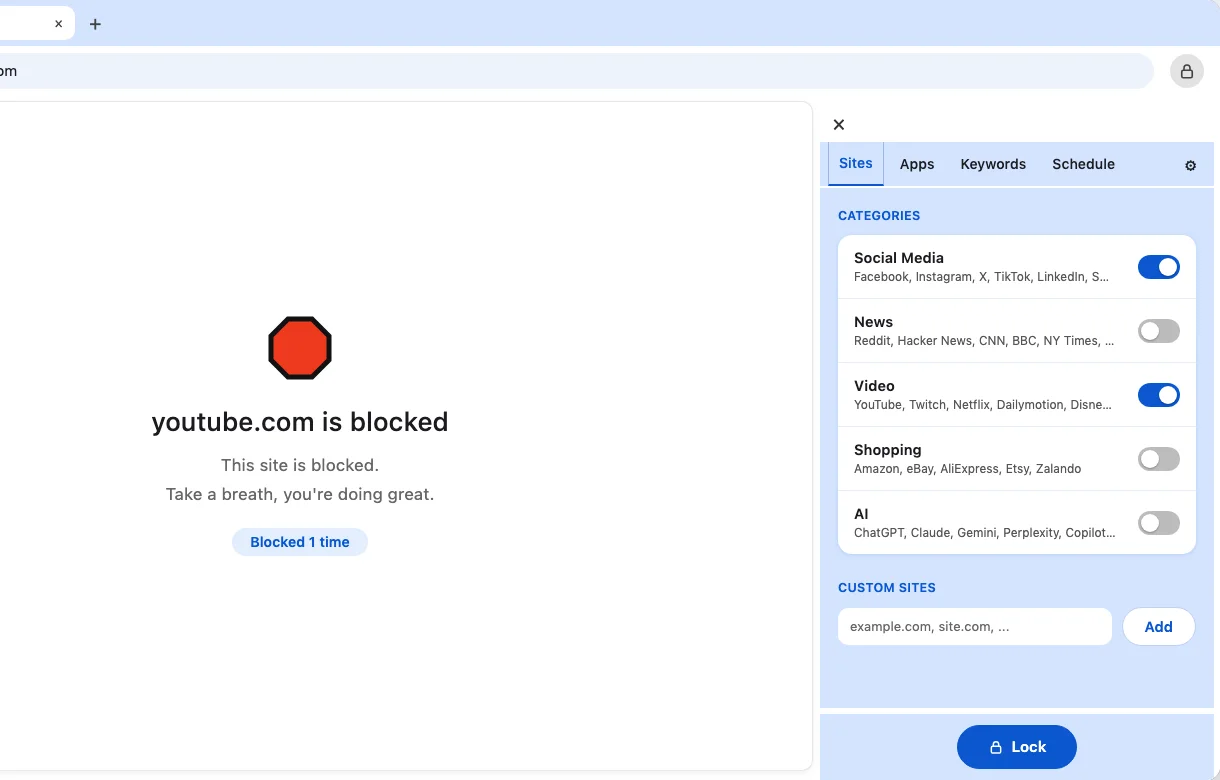
What you see when Browwwser says no

Browwwser showing a blocked page for youtube.com, with the Sites panel open on the right

Blocked sites never load

No countdown, no "continue anyway" button. You get a plain page and a counter of how many times you tried.
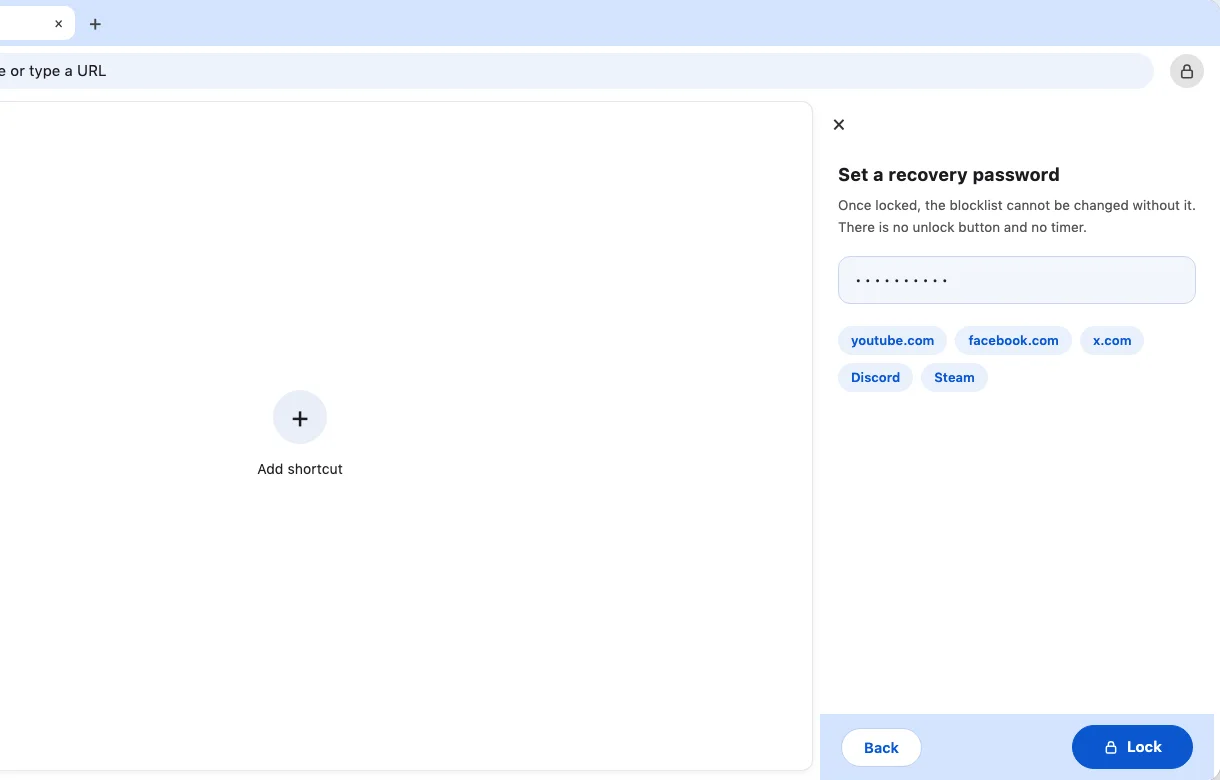
Browwwser lock step asking for a recovery password

Lock mode you can't talk your way out of

The blocklist locks behind a recovery password you choose. No unlock button, no timer. Give the password to someone you trust.
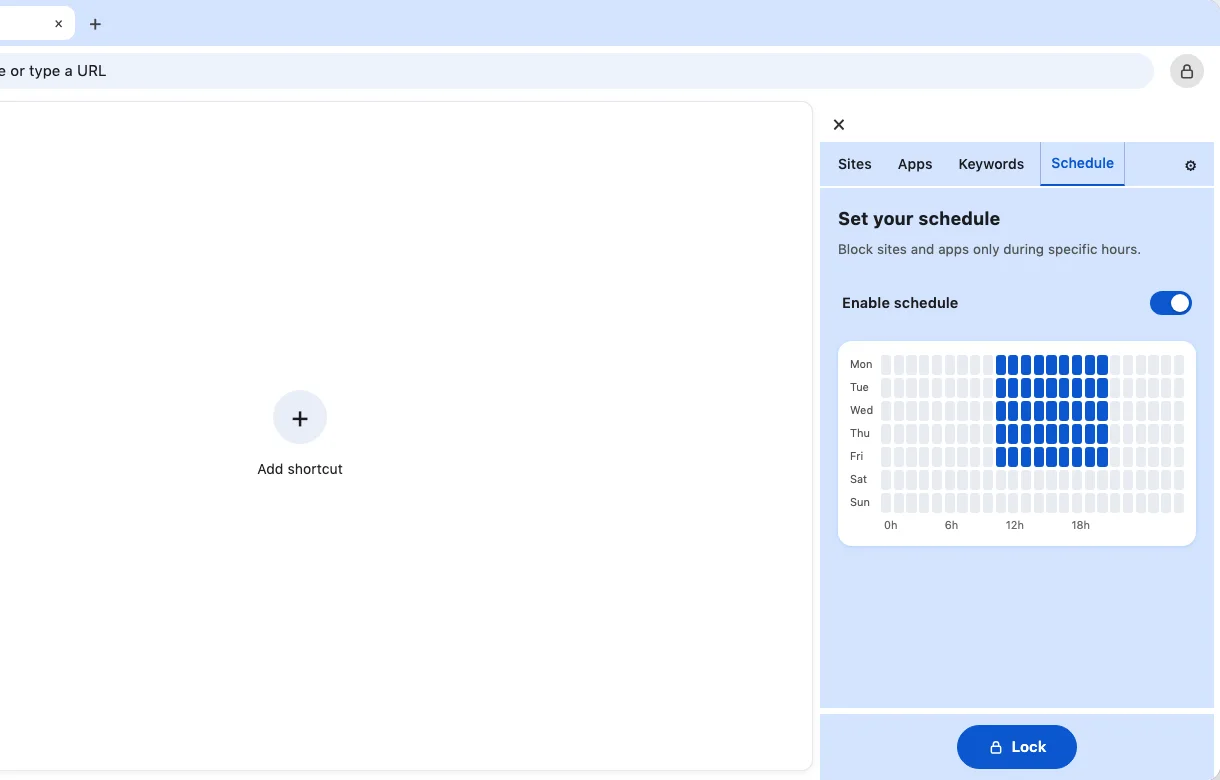
Browwwser Schedule panel with a weekly grid of days and hours, with weekday working hours selected

Block on your schedule

Pick the hours on a weekly grid, then add whole groups in one click: social media, news, video, shopping or AI.

The environment does the work

For brains that shouldn't have to fight their own tools.

Core
Site blocking
The page doesn't load. No countdown, no "are you sure", no motivational quote — nothing to argue with, and nothing that turns into a five-minute negotiation.
youtube.comBlocked
reddit.comBlocked
linkedin.comBlocked
macOS native
Block desktop apps
Block the apps too. Discord, Steam or Slack close while blocking is on, so the rabbit hole doesn't just move to another window.
Slack
Discord
Steam
Willpower backup
Lock mode
Lock the list behind a recovery password. The decision gets made by the version of you that's thinking clearly, and the version at 11 p.m. can't undo it without that password.
🔒Locked — recovery password required
Migration
Bring your Chrome setup
Everything transfers in one click — bookmarks, passwords, extensions, history. Switching costs you nothing, which matters when task initiation is the hard part.
🔖Bookmarks142 imported✓
🔑Passwords87 imported✓
🔧Extensions4 compatible✓
Automation
Scheduled blocking
The block turns itself on. One less thing to remember, and time blindness stops being the reason it didn't happen today.
Work hours9am – 5pm
Evening wind-down10pm – 7am
● Active nowOn
Quick start
One-click presets
Whole categories at once, in one click. No sitting down to write a list of everything that might distract you — which is its own way of never starting.
Social MediaVideoNewsShopping
12 sites blocked via presets

Simple pricing. No surprises.

One decision, made once. Both plans include every feature and every update.

Lifetime
$199
one-time payment
  • All features included
  • Every update included
  • Site + app blocking
  • Pay once, own it
Buy lifetime
SSL Secure Payment

Prices in US dollars. At checkout, Stripe can show the amount in your local currency, converted at the day's rate.

14-day money-back guaranteeNo questions asked. Not for you? Full refund.

What people with ADHD ask

Because the others could be switched off in three seconds, and that's the whole difference. Every extension-based blocker asks your executive function to hold the line at the exact moment it's most depleted. This one removes the option instead of testing you.
Unlock it in seconds — unless you've turned on Lock Mode. Most people start without locking, learn which sites are genuinely a problem, and only lock those.
No. There's no dashboard, no score and no streak to break; the block page only shows a quiet count of attempts. Shame is what makes ADHD avoidance worse, so there's nothing here designed to make you feel watched.
All of them. It's Chromium, so everything you already use imports in one click and works exactly as before.
Yes. Add the apps to your blocklist and they close while blocking is on — no switching to the app version when the browser says no.
14-day money-back guarantee, no questions asked, on top of the 7-day trial.
Yes. Browwwser is available now for macOS 12 or later and for Windows 10 or 11 (64-bit), with a 7-day free trial, then $99 per year or $199 once for lifetime access. There is no Linux, iPhone or Android version yet.
Cold Turkey and Freedom are separate apps that control your browsers from outside: Cold Turkey through a browser extension, Freedom through a local proxy on Mac. Browwwser is the browser itself, so there is no extension to disable and no proxy to switch off. The trade-off: Browwwser runs only on macOS, while Cold Turkey also runs on Windows and Freedom also runs on phones. To cover other browsers on your Mac, block them as apps.
Browwwser is made by ARGROUP US LLC and was created by Antoine Remusat, an independent developer who built it after bypassing every blocker he tried. Support answers at support@browwwser.com.
No. Your browsing history, your list of blocked sites and apps, and your schedules stay on your Mac and are never sent to our servers. We only receive what a purchase needs (email, licence, payment through Stripe) and anonymous usage statistics.